Dual-Mode Creation
Switch between click-and-paint WavePaint drafting and code editing in the same desktop application.
Create clear digital timing diagrams from simple scripts or interactive click-and-paint editing. Waveforms are processed locally on your desktop with zero latency, an integrated Code Editor, and precision vector tools.
Fully compatible with WaveDrom's WaveJSON syntax. WaveScript-specific extensions require WaveScript.
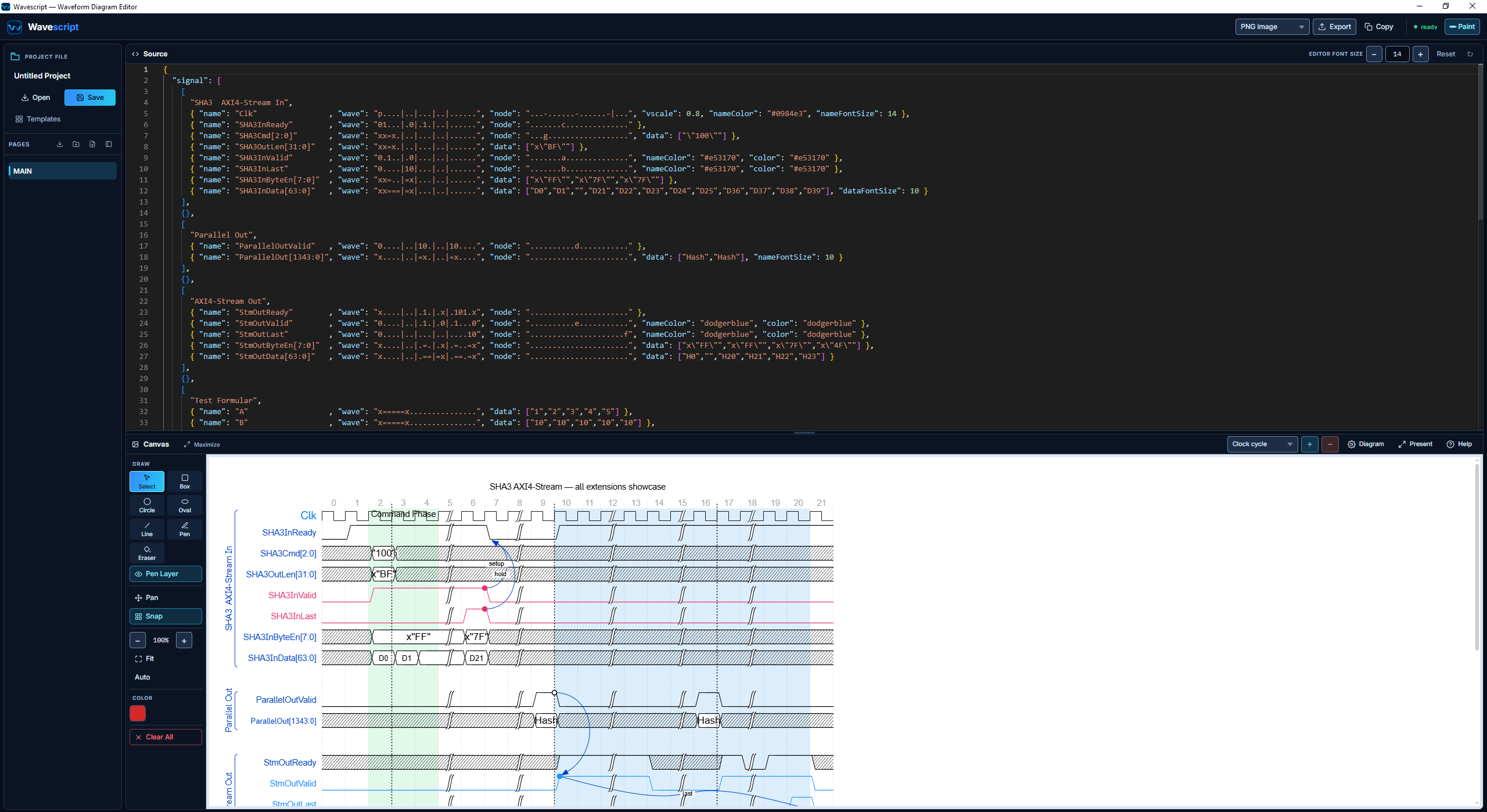
Create visually in Paint Mode or edit WaveJSON in the Code Editor. Both modes are available in Trial and licensed versions.
Visual Point & Click Waveform Drawing
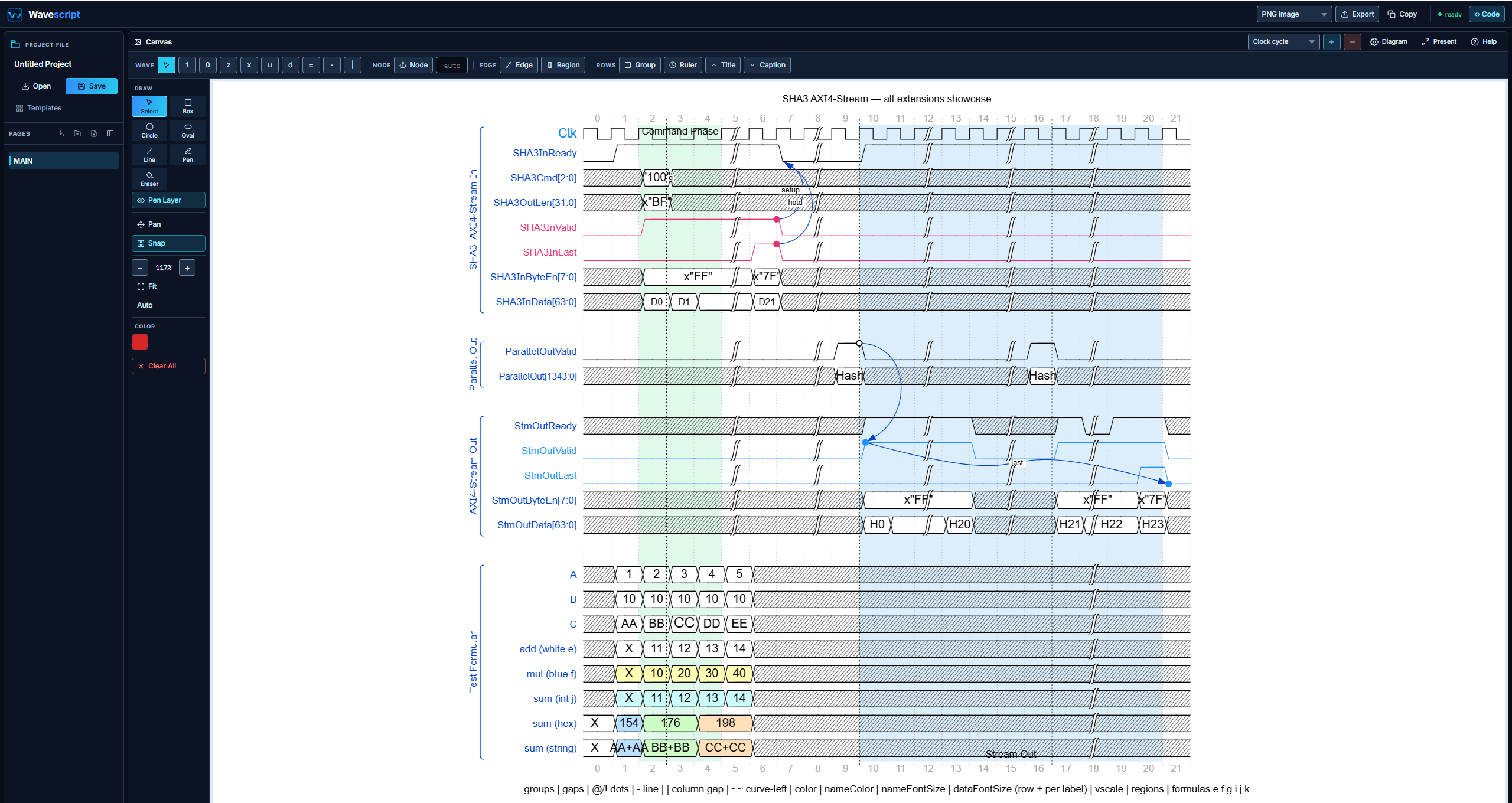
Integrated Code Editing for WaveJSON
Switch between click-and-paint WavePaint drafting and code editing in the same desktop application.
Organize whole ASIC and FPGA chip architectures with hierarchical tree navigation in a single unified project file.
Export pure ASCII and Unicode timing diagrams directly into Verilog, SystemVerilog, VHDL, and C source code comments.
Overlay colored bounding boxes, snappable dependency arrows, freehand sketches, and dark canvas skins with 10px grid snapping.
Accelerate hardware design and verification cycles with an integrated timing workbench tailored for engineering rigor.
Paint transitions visually or declare clocks, buses, and valid strobes in WaveJSON.
Use the cursor guide to locate signal rows and clock cycles. Visually compare signal transitions against clock edges and count cycles between events.
Add causal arrows, phase boxes, freehand notes, and custom bus labels with 10px snap.
Export SVG/PNG images or PDF documents, or add ASCII waveform diagrams to Verilog/VHDL source-code comments.
Reuse your existing WaveDrom code without changes. WaveScript adds powerful extensions, including signal formulas, that require WaveScript.
{
  "signal": [
    { "name": "clk", "wave": "p.....|..." },
    { "name": "data", "wave": "x.345x|=.x",
      "data": ["head", "body", "tail", "data"] }
  ]
}
A desktop waveform workbench for hardware designers, verification engineers, and system architects. Create timing diagrams for design documents, presentations, and inline Verilog/VHDL code comments.
Build timing diagrams visually with Paint Mode, or define signals in WaveJSON with the Code Editor. Both modes are available in Trial and licensed versions.
Click on the waveform canvas to set signal states, draw transitions, and define bus values. Use single clock cycle or signal row editing to shape your diagram. Double-click editing and dragging signals in the rendered waveform require an active license.
Write and edit signal names, waveform patterns, and bus data in WaveJSON. Format your scripts and view the resulting waveform alongside the editor.
No more scattered diagram files. Structure complex SoC and FPGA subsystems into hierarchical sheets, clock domains, and bus interfaces inside a single unified project file.
Turn bare signal traces into explanatory design reviews. Overlay customizable bounding boxes, causal arrows, text callouts, and freehand sketches with 10px grid snapping directly in the native canvas tools.
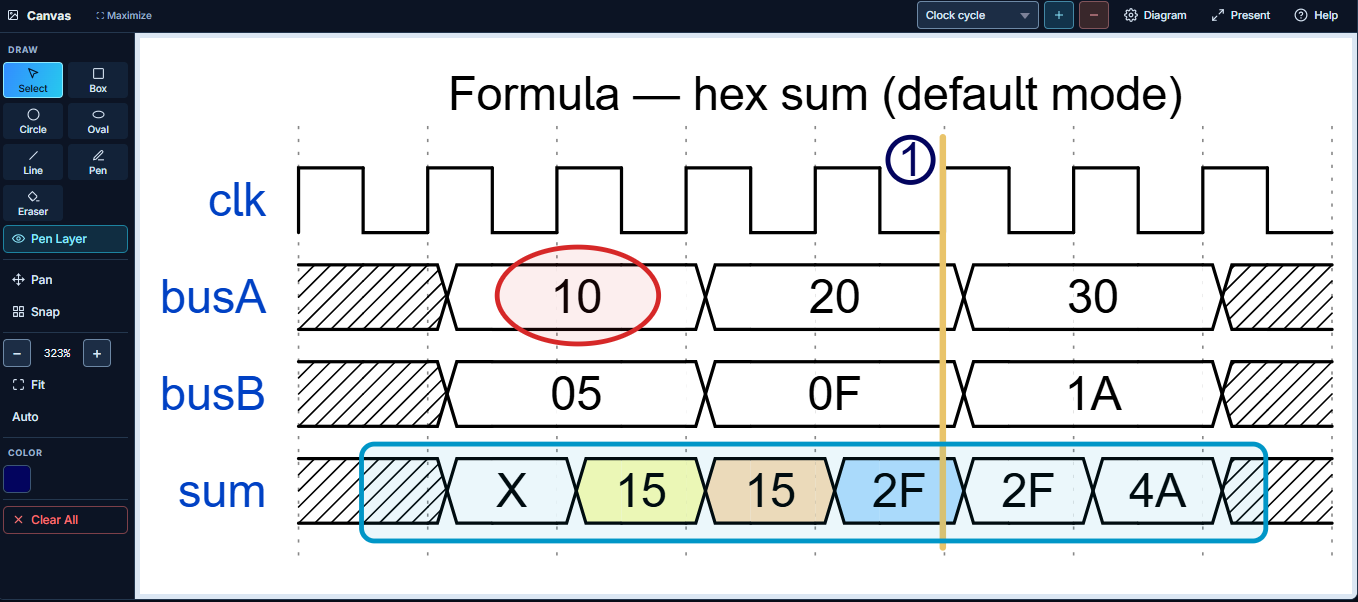
Export ASCII waveform comments, SVG/PNG images, PDF documents, or reusable WaveJSON. SVG, PDF and ASCII export require an active license.
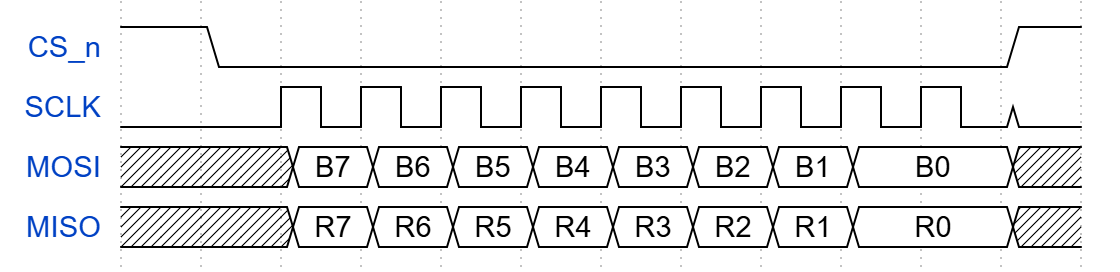
// =============================================================================
// SPI Master 4-Wire Timing Diagram (Generated by Wavescript)
// Template: SPI (4-wire) | Export Pipeline Deliverable
// =============================================================================
//      :  0   1   2   3   4   5   6   7   8   9   10  11
// CS_n : ┌───┐                                       ┌───
//      : ┘   └───────────────────────────────────────┘
// SCLK : ┐       ┌─┐ ┌─┐ ┌─┐ ┌─┐ ┌─┐ ┌─┐ ┌─┐ ┌─┐ ┌─┐ ┐
//      : └───────┘ └─┘ └─┘ └─┘ └─┘ └─┘ └─┘ └─┘ └─┘ └─└───
// MOSI : ╱xxxxxx╲╱  ╲╱  ╲╱  ╲╱  ╲╱  ╲╱  ╲╱  ╲╱      ╲╱xx╲
//      : ╲xxxxxx╱╲B7╱╲B6╱╲B5╱╲B4╱╲B3╱╲B2╱╲B1╱╲  B0  ╱╲xx╱
// MISO : ╱xxxxxx╲╱  ╲╱  ╲╱  ╲╱  ╲╱  ╲╱  ╲╱  ╲╱      ╲╱xx╲
//      : ╲xxxxxx╱╲R7╱╲R6╱╲R5╱╲R4╱╲R3╱╲R2╱╲R1╱╲  R0  ╱╲xx╱
// =============================================================================
Try three basic code examples or browse templates by category. Advanced templates, including AXI4-Lite, 5-Stage Pipeline, SHAKE128 and User Register Bus, require an active license.
Select a basic example, then copy its WaveJSON into the Code Editor.
{
  "signal": [
    {"name": "clk", "wave": "p......."}
  ]
}
Templates available in the app. Browse the names below, or select Code Examples to try a basic sample.
Choose Dark Canvas mode for a dark waveform background, or Lowkey skin for monochrome diagrams in printed documents.
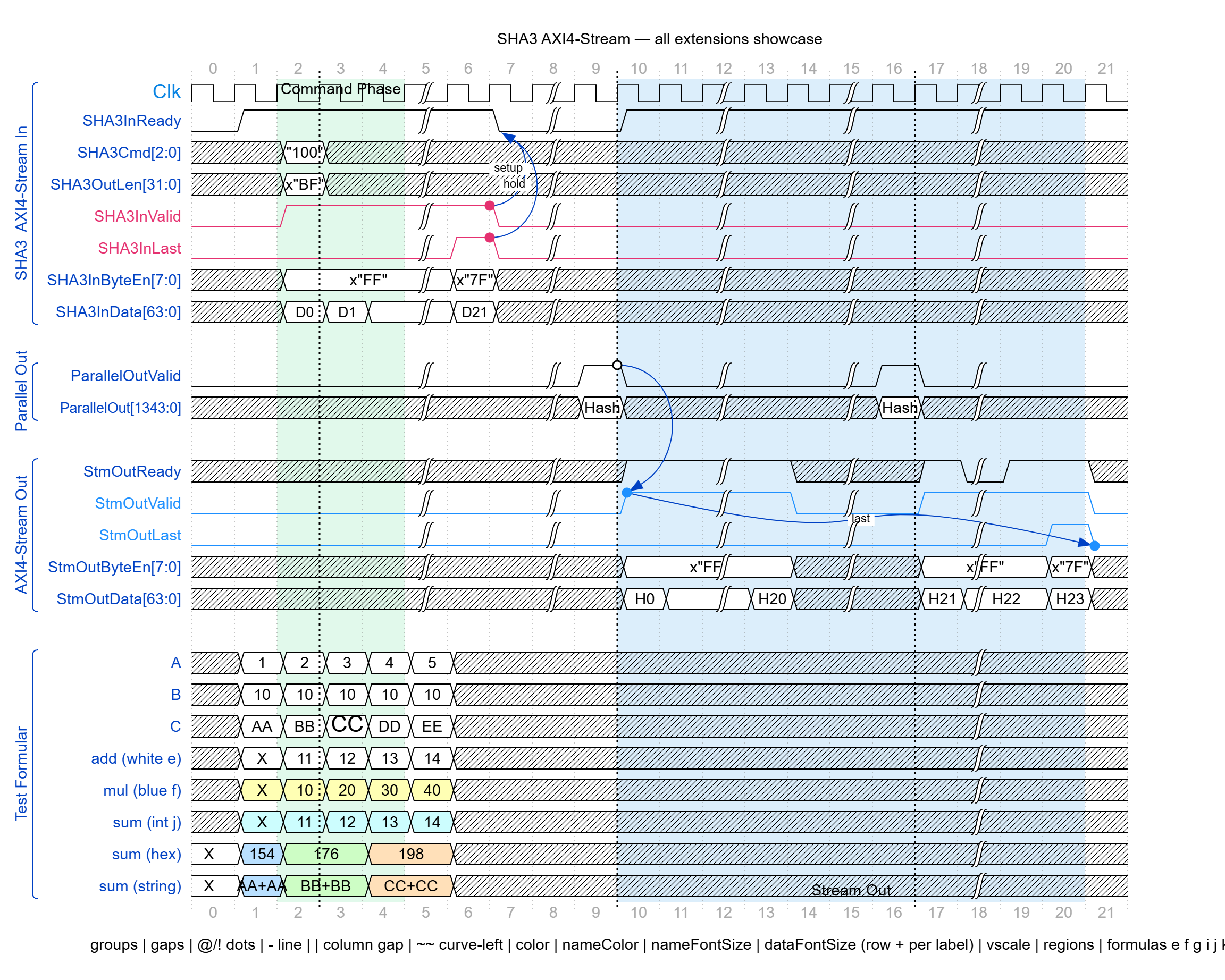
Deep dark background reducing glare in verification environments.
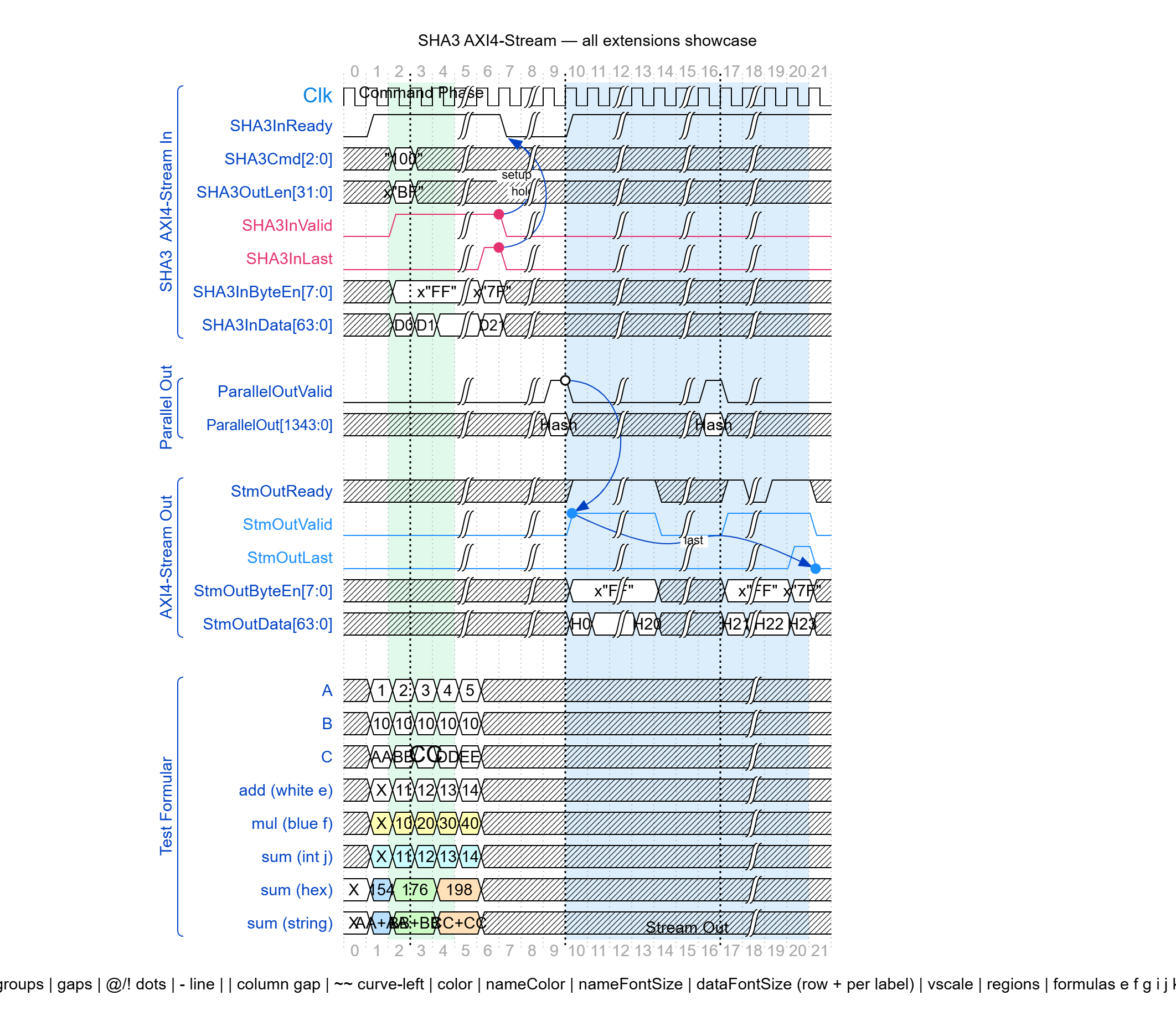
Ultra-compact signal height optimized for wide 64-bit and 128-bit SoC buses.
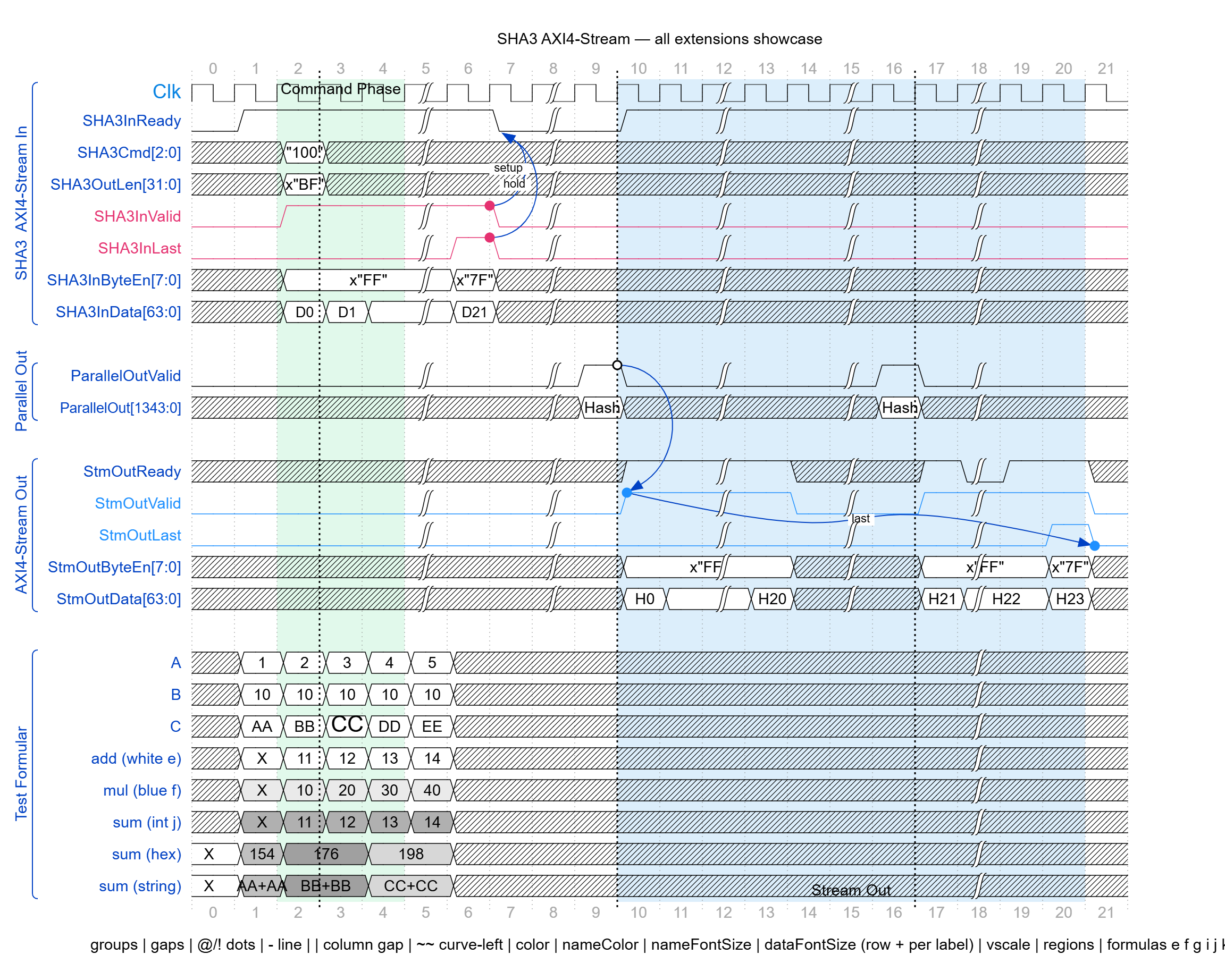
Monochrome diagrams for printed reports, datasheets, and other documents.
Master the syntax, explore ready-to-use templates, and create professional digital logic waveforms directly from script.
Interactive waveform explorer: toggle between side-by-side or stacked full-width view, switch hardware protocols, and copy ready-to-use WaveJSON code.
Fully compatible with WaveDrom's WaveJSON syntax. Reuse your existing WaveDrom code without changes. WaveScript-specific extensions, including signal formulas, require WaveScript.
{
  "signal": [
    { "name": "clk" , "wave": "p.....|..." },
    { "name": "data", "wave": "x.345x|=.x", "data": ["head","body","tail","data"] }
  ]
}

The core structure is JSON-like and keeps timing data together with diagram presentation controls.
signal
Define grouped signals, clocks, buses and waveform patterns.
wave + data
Describe state transitions and values such as D0, x"FF", WRITE or READ.
edge
Connect named nodes with timing relationships, setup/hold arrows and annotations.
regions
Highlight important time ranges with color, text and top/bottom labels.
config
Control vscale, hscale, font sizes, text backgrounds and global styling.
formulas
Calculate and display integer, hex and string values directly in bus labels.
Explore four public examples: Basic Clock, Clock & Reset, I²C Transaction, and Valid / Ready Handshake. View their WaveJSON code and waveform output, or load an example into Quick Start.
Clock signal with digital data bus and period markers.
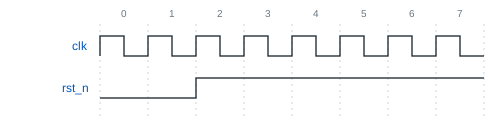
Release an active-low reset after two cycles.
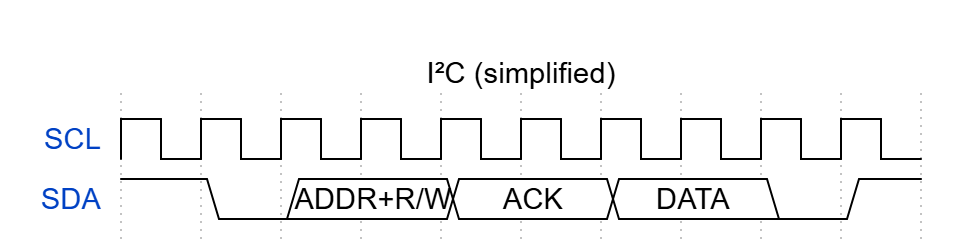
START condition, address, R/W, ACK bit, data and STOP.
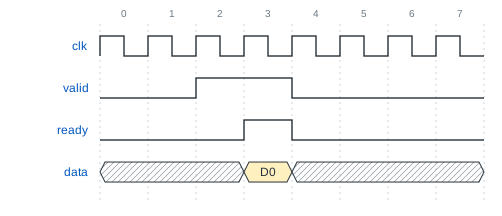
Show one transfer when valid and ready are both high.
Browse additional templates by name. Templates marked Licensed require an active Wavescript license.
Choose the output that best fits documentation, sharing or integration with other tools.
Use Wavescript as a technical communication tool, not only as a waveform renderer.
Start with a 30-day evaluation. Advanced templates, including AXI4-Lite, 5-Stage Pipeline, SHAKE128 and User Register Bus, require an active license.
30-day trial with core waveform editing capabilities.
Delivered via email (.exe + license key) with full professional diagram tools.
| Feature / Capability | Trial | Wavescript License ($100/yr) |
|---|---|---|
| Distribution Executable | Evaluation installer (.exe) | Dedicated Full Version (.exe) via email |
| License Term | 30 days from first launch | 1 Year Full License (Node-Locked) |
| Hardware Node-Lock Validation | - | ✓ Locked to PC MAC address |
| Server Time Verification | Client clock (30 days) | ✓ Anti-tamper trusted cloud time |
| Code Editor | WaveJSON editing + Shift+Alt+F | WaveJSON editing + Shift+Alt+F |
| Paint Mode (Click-to-edit UI) | Interactive visual editing | Interactive visual editing |
| Double-click Edit & Drag Signals in Paint Mode | Not available | Included in rendered waveform |
| Annotation & Timing Markers | ✓ Arrows, markers, dependencies | ✓ Arrows, markers, dependencies |
| Regions & Highlight Phases | ✓ Custom background regions | ✓ Custom background regions |
| Pages | Up to 5 pages per project | Unlimited pages per project |
| Folders | Up to 1 folder per project | Unlimited folders per project |
| WaveDrom WaveJSON Syntax | Fully compatible | Fully compatible |
| Formula Sigils | Not available | e, f, g, i, j, k |
| Template Library | Basic templates | Basic and advanced templates |
| Waveform Preview | Watermark during evaluation | No watermark |
| PNG Export | Gray watermark | No watermark |
| Copy Diagram to Clipboard | Watermark | No watermark |
| SVG Export | Not available | Included |
| ASCII Text Export | Not available | Included |
| PDF Export | Not available | Included |
| WaveJSON Export | Included | Included |
| Multi-License Orders (Teams) | - | ✓ Multiple PC MACs in 1 checkout |
| Early Renewal Policy | Upgrade anytime | ✓ Extends +1 year with zero lost days |
An annual license adds advanced templates, formula support and watermark-free export options.
Timing markers, arrows, regions, labels and dependency visualization.
Load AXI4-Lite, 5-Stage Pipeline, SHAKE128 and User Register Bus templates with an active license.
Export SVG, PDF and ASCII, plus PNG without a watermark.
Calculate and display values directly in the timing diagram.
Choose seat quantity and enter your PC MAC address(es) and contact details.
Our team manually emails your order confirmation, .lic file and app download link within 1–2 working days after payment confirmation. Renewals use the same delivery window.
Install and launch; the app binds to your PC's hardware MAC address with trusted server time.
Renew on this website, directly or from the app's renewal link. Import the renewed .lic file; no reinstallation required. Early renewal preserves your remaining days.
Delivery follows Bangkok time (UTC+7) and the Bank of Thailand's announced holiday calendar.
Clear answers on node-locked licensing, internet requirements, and license renewals.
WS-2026-XXXXXX) in your order confirmation email.
Our engineering support team is ready to assist with licensing, hardware MAC setup, and custom team deployments.
Have a question about Wavescript, licensing, technical features or a specific use case? Tell us what you are working on and how we can help.
Required fields are kept short. Background and technical context are optional but help us respond more precisely.
Explore Wavescript capabilities, templates and export formats.
Review the Trial plan and the $100 one-year Wavescript license.
Send a private support inquiry with screenshots and files, or browse Docs & FAQ.
Have ideas or specific waveform features you'd like to see? Let us know via the contact form above.
Node-locked license (1 PC per license). After checkout, you will receive the Full Version installer (.exe) and signed license key file via email.
Fill in your details to receive the trial installer link directly in your inbox. No credit card required.
Enter your Order Reference and registered MAC Address to verify order status and license delivery details.
Please double-check your contact details and message below before sending.
Click below to open Gmail with pre-filled details, or copy the template to clipboard:
Design Gateway Co., Ltd. operates the Wavescript website and customer request services described in this draft for customers internationally. This document is provided in English.
89/26 Amornpan 205 Tower1, 18th floor,Privacy contact: Contact form. A dedicated privacy email address is pending confirmation.
| Request | Information | Purpose |
|---|---|---|
| Trial download | Name, email, company, request date, and the IP address observed by the server. | Provide the download and email link, associate the request with a customer, and enforce the current one-trial-request-per-email rule. |
| Contact and support | Name, email, company and optional role/country/technical details, inquiry type, message, and any submitted attachment information. Workstation and MAC transfer requests are not currently offered. Historical transfer records may contain old/new MAC addresses and order/license references. | Respond to the request, verify relevant license ownership, and investigate the issue. Relevant details can be included in transactional email. |
| Purchase and renewal | Customer and company details, workstation MAC addresses, seat count, order/license references, term dates, delivery status, and payment/session/refund references. | Create and fulfill orders, bind and renew licenses, provide receipts and manual delivery, and handle billing questions and any refunds required by applicable law. |
| Payment processing | Stripe receives checkout information needed to complete the payment, including customer email, amount, and order metadata. | Process and verify payment. Card information entered on Stripe Checkout is handled by Stripe; it is not requested in Wavescript contact fields. |
| Notice acknowledgement | Email supplied with the request, request category/path, document version and SHA-256 fingerprint, draft/final status, and server-recorded UTC acknowledgement time. | Record which notice was acknowledged for a submission attempt. A record does not prove that a payment succeeded or that a license was delivered. |
| Technical requests | Request paths, network addresses, and other information available to the HTTP server or hosting platform may appear in operational logs. | Operate and troubleshoot the service. Hosting log details and retention are pending confirmation. |
Information is used to answer the request you initiate and to provide the related download, purchase, license, renewal, or support service. Some information may also need to be retained for accounting, security, dispute handling, or other applicable obligations. The final notice must identify the applicable legal bases and retention rules before publication as a finalized document.
Fields marked required are needed for the corresponding request. If you do not provide them, the related request may not be processed. Do not submit information about other people unless you are authorized to do so.
Authorized personnel review customer records and manually prepare license delivery. The configured email gateway is Fino-Logic; transactional messages may include relevant contact, order, or licensing details and an administrative recipient. Stripe processes checkout and related payment operations. Hosting and email systems may also process service data.
The cloud-hosted website server uses DigitalOcean in Singapore, as confirmed by the operator. The application database stored on that server is therefore located in Singapore. Backups are stored in Thailand: all application database data is backed up to a local computer at the company, as confirmed by the operator. These locations describe the primary server and the confirmed backup storage; they do not establish where any additional snapshots, copies, email systems, or payment providers store their data.
Any additional snapshot or copy locations, the remaining provider list and storage countries, cross-border transfer arrangements, and access controls are awaiting confirmation. This draft does not claim that all customer data stays in Singapore or Thailand.
Customer, download, order, licensing, inquiry, and acknowledgement records are stored in the application's database. Approved retention periods, backup deletion procedures, and security measures must be confirmed; this draft does not promise an automatic deletion deadline or a security certification.
Ask through the Contact form if you need access, correction, deletion, restriction, or other action concerning your information. The team may need to verify your identity, and applicable obligations may affect what can be deleted or provided.
Wavescript desktop rendering and website request processing are separate activities. The desktop app requires an online connection when opening the application to obtain trusted time for license verification. The complete desktop telemetry/crash-report data flow and offline grace period have not yet been confirmed. This notice therefore does not promise that every category of desktop data always stays on the device.
No marketing consent is requested by the acknowledgement controls described here. The final notice must confirm production hosting cookies, analytics, and other third-party browser storage before publication.
Use the Contact form for privacy questions or requests and include only the details needed to identify the relevant record. Applicable data-protection rights and complaint routes depend on the circumstances and jurisdiction. The dedicated privacy contact and final request-handling procedure are pending confirmation.
The published version and date identify this English-language document. When the terms are updated, customers must review and acknowledge the current version when requesting a license renewal. Each website request also requires acknowledgement of the version displayed for that request. The process for notifying customers of material changes before they take effect remains to be confirmed; a renewal acknowledgement does not replace any applicable notification obligations.
These proposed terms concern information you submit to contact Wavescript, download a trial, purchase a license, or renew a license. They are not a contract appointing Wavescript to process an organization's data on its behalf.
Open the Contact form and describe your request. A dedicated privacy email will be added once confirmed.
When finished reading, close this popup to return to your form and tick the acknowledgement for that request. Opening or closing this popup does not tick a box or submit personal information.
/MAIN.png)